How do I manage billing and upgrade my plan?
You can manage payment methods, update your subscription, or upgrade to a higher plan directly in Numio.
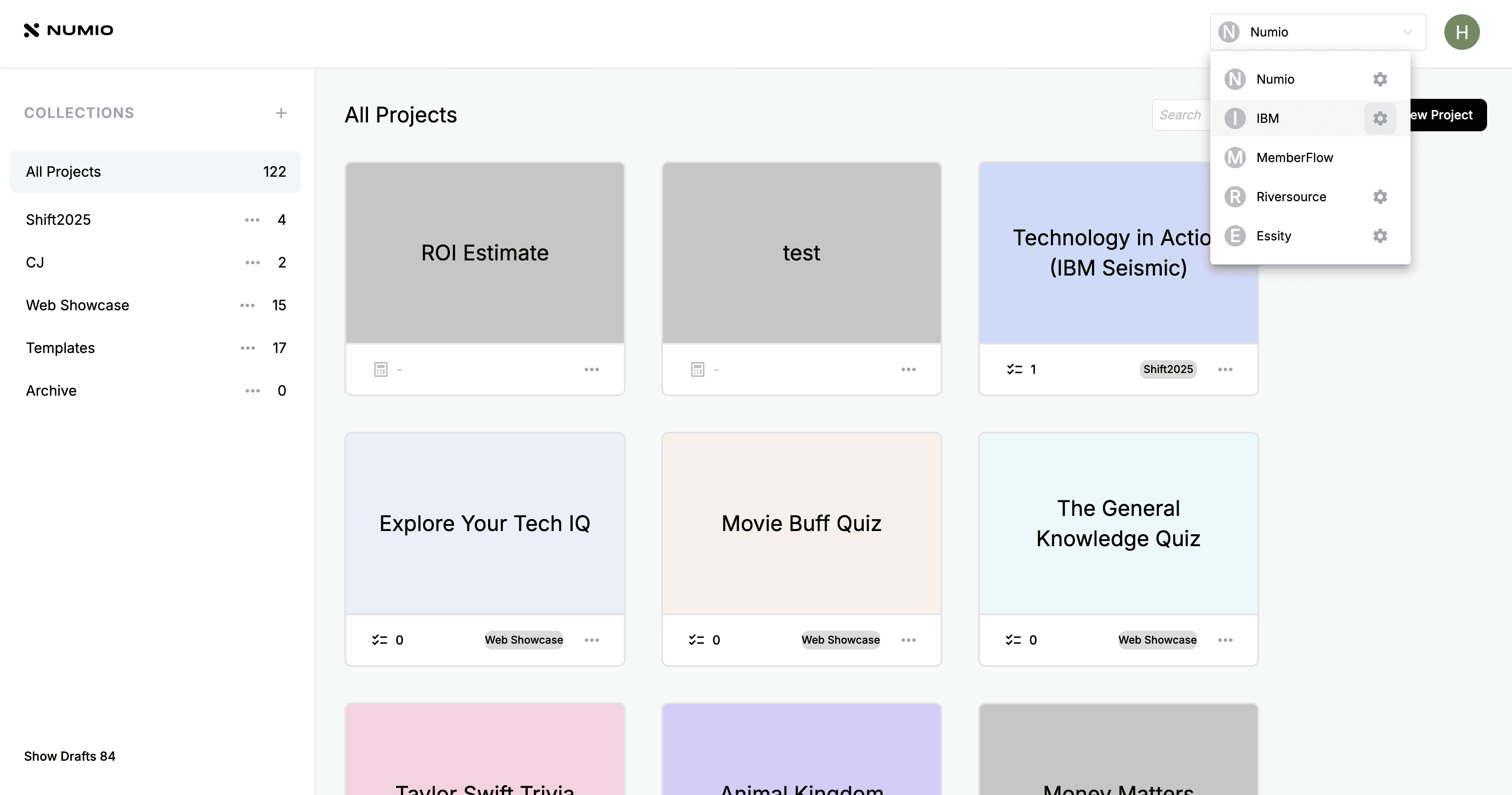
1. Go to Workspace Settings
From the top bar, open your workspace dropdown, select your workspace, and click the Settings button on the right.
2. View Your Current Plan
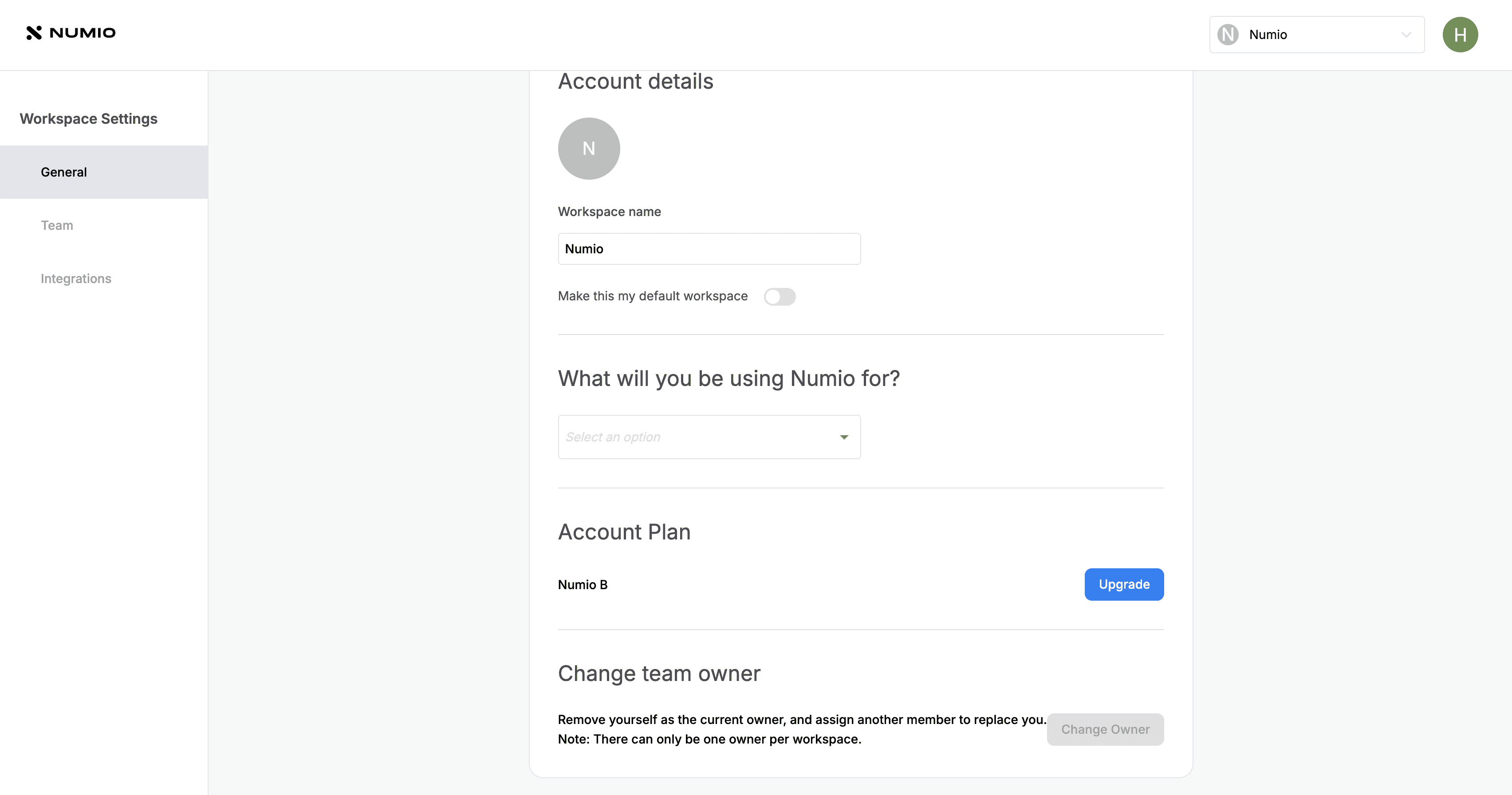
In the General tab, you’ll see your current plan.
Click Upgrade if you want to move to a higher tier.
3. Manage Your Payment Details
In the Billing tab, you can:
Change your plan
Update your card on file
Update your billing address
4. If a Payment Fails
If a payment doesn’t go through, all projects in the workspace will be paused until the payment is completed. Once the payment is resolved, all projects will automatically resume.
How do I manage billing and upgrade my plan?
Written By: Jeremiah Simpson
Last Updated on Nov 19, 2025
You can manage payment methods, update your subscription, or upgrade to a higher plan directly in Numio.
1. Go to Workspace Settings
From the top bar, open your workspace dropdown, select your workspace, and click the Settings button on the right.
2. View Your Current Plan
In the General tab, you’ll see your current plan.
Click Upgrade if you want to move to a higher tier.
3. Manage Your Payment Details
In the Billing tab, you can:
Change your plan
Update your card on file
Update your billing address
4. If a Payment Fails
If a payment doesn’t go through, all projects in the workspace will be paused until the payment is completed. Once the payment is resolved, all projects will automatically resume.