How do I style my calculator?
Design matters. Numio lets you fully customize your calculator’s look and feel so it matches your website, branding, or product aesthetic.
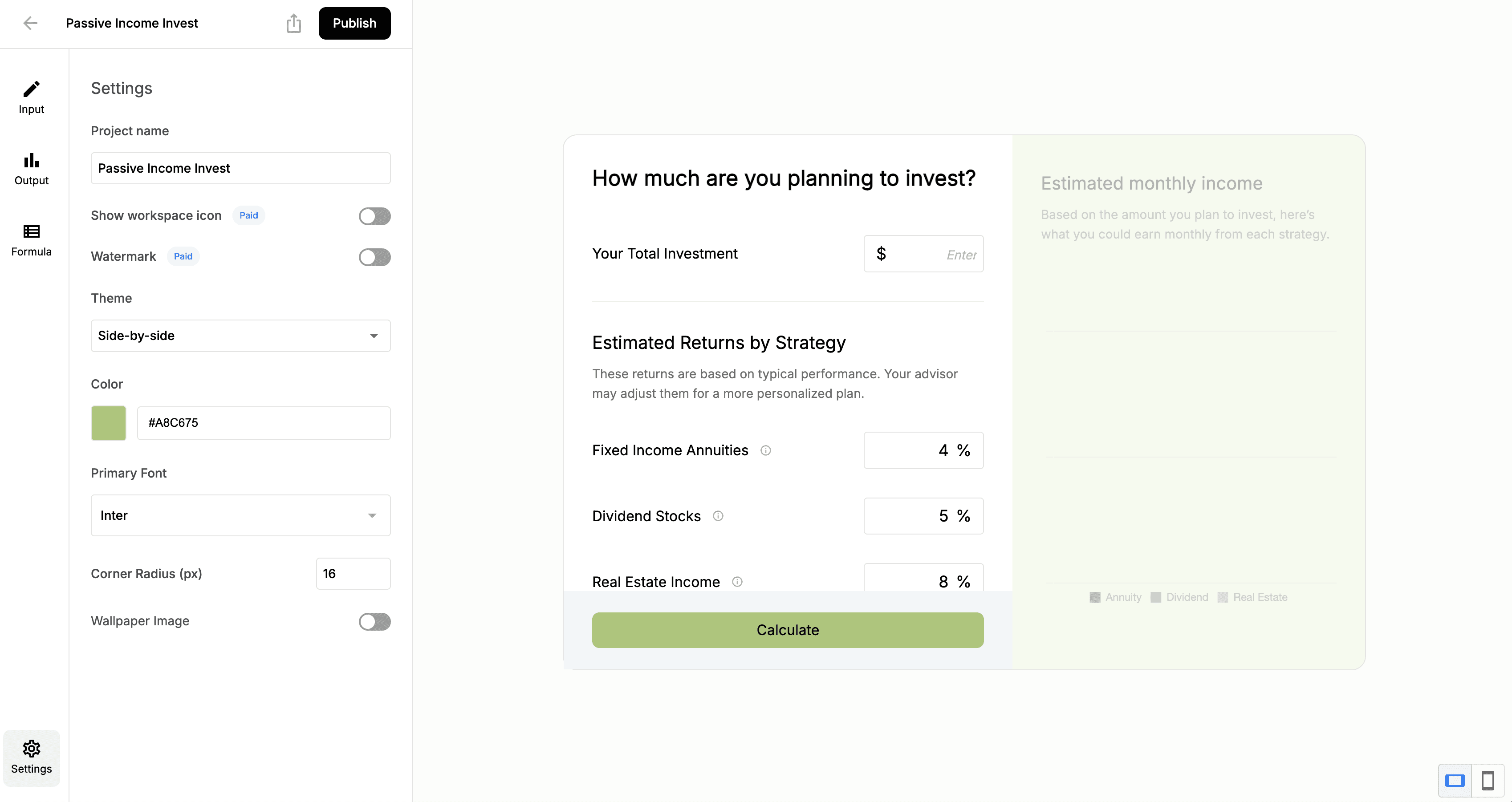
1. Open Your Calculator & Go to the Settings Tab
2. Customize Colors
Apply your brand colors by entering your hex codes and adjusting background, text, and accent colors.
3. Adjust Fonts & Typography
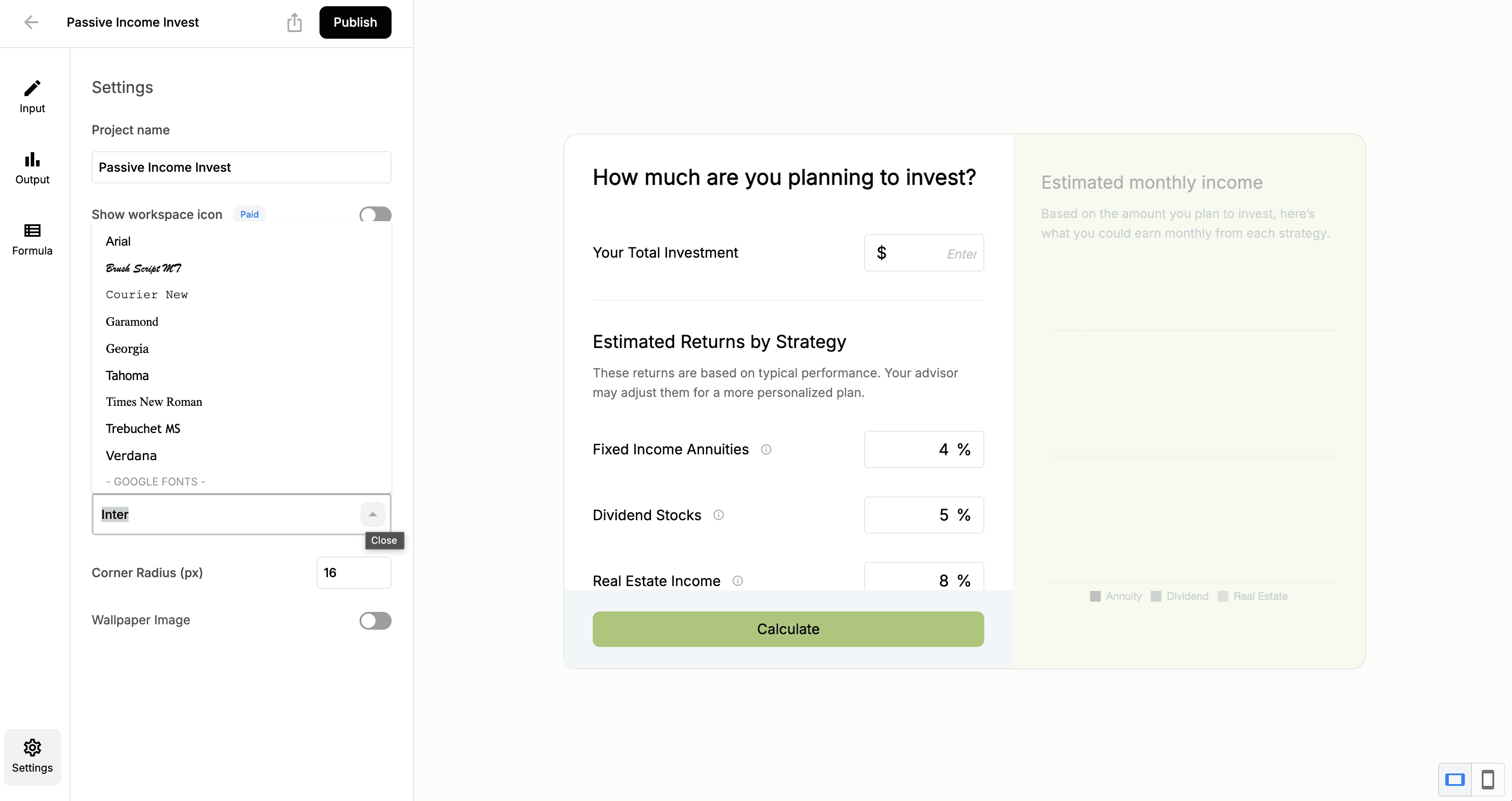
Choose from Numio’s built-in font options and fine-tune typography to match your visual style.
How do I style my calculator?
Written By: Jeremiah Simpson
Last Updated on Nov 19, 2025
Design matters. Numio lets you fully customize your calculator’s look and feel so it matches your website, branding, or product aesthetic.
1. Open Your Calculator & Go to the Settings Tab
2. Customize Colors
Apply your brand colors by entering your hex codes and adjusting background, text, and accent colors.
3. Adjust Fonts & Typography
Choose from Numio’s built-in font options and fine-tune typography to match your visual style.