How do I track answers from my quiz?
Numio automatically captures every user submission so you can analyze behavior, measure conversions, and export data for reporting.
1. Open the Responses View
Go to your dashboard and click Responses on the quiz card.
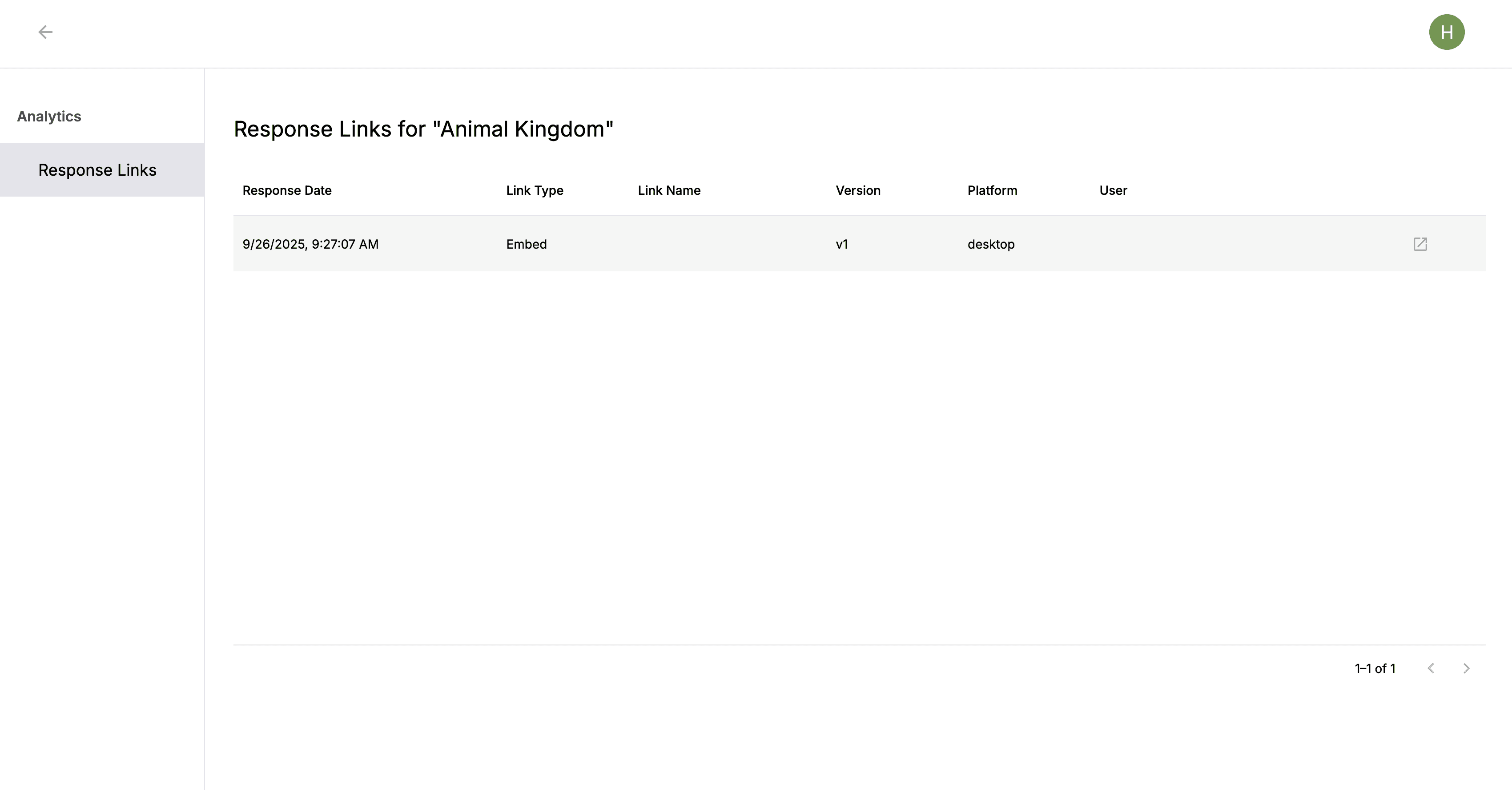
2. View Individual Submissions
Each row represents a single user submission. Click any row to see the full response displayed inside the quiz.
How do I track answers from my quiz?
Written By: Jeremiah Simpson
Last Updated on Nov 19, 2025
Numio automatically captures every user submission so you can analyze behavior, measure conversions, and export data for reporting.
1. Open the Responses View
Go to your dashboard and click Responses on the quiz card.
2. View Individual Submissions
Each row represents a single user submission. Click any row to see the full response displayed inside the quiz.